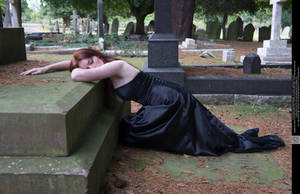
Keywords... what are they... how do they work, and why are they important?
What are they...
Keywords are descriptive words added to the information on your submitted deviation.
How do they work....
Keywords are essential when any DeviantART user looks for any kind of artwork, in any gallery using the search feature. Just like when you use an internet search engine like Google to research something. Whatever you type into a search engine, is a "keyword"
Why they are important....
The fundamental purpose for sharing stock and resources on DA (or anywhere else for that matter), is to enable other artists, to FIND and USE your work.
Artists search for stock using DA's integral search engine. Which ultimately runs off "keywords" So one of the most fundamental things you can do to aid the exposure of your stock, is to apply the right keywords to it when you submit it.
An artist looking for grey clouds with a sandy beach will probably type into the search "clouds" and "beach" so if your cloudy beach stock has no keywords "attached" to it, the artist might well miss out on seeing your potentially perfect stock!
How to make the most of your keywords
Keywords should be descriptive, but more importantly they should be descriptive of the actual elements in the stock image or tutorial. There is absolutely no point in adding keywords that have no relation to your work at all. All that does is annoy the artist who happens to use those keywords to search with when they get your stock which is nothing like what they are looking for!
Keywords can describe the atmosphere, emotions, colours, elements, items or even places contained in the image, or processes, tools, and applications for tutorials.
Its always great to have a good idea of the kinds of images that are likely to be created with your stock. For example something that looks "grungy" or "futuristic" could have "scifi" or "dystopia" added to the original keywords. Don't be afraid to add lots of keywords to your stock images and tutorials, but as mentioned, keep them associated with the actual content!
Heres some we made earlier...
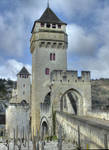
medieval, bridge, arch, archway, stone, stairs, steps, tower, castle, fortress, fantasy, river, shore, path, building, old, ancient
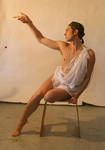
grecian, man, male, model, classical, classic, reaching, sitting, pointing, point, drape, myth, mythical, roman, rome, greek
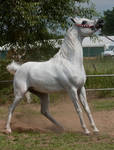
struggle, tense, fear, frightened, flight, escape, backward, horse, equine, grey, arab, rearing, rear
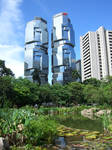
skyscraper, building, modern, glass, reflection, reflective, futuristic, scifi, utopia, garden, tranquil, lake, water, green
gaze, up, above, looking, search, searching, longing, dream, dreams, perspective, kneeling